Migrate the iOS integration of home_widget to Swift Package Manager
Swift Package Manager Migration
If you are using Swift Package Manager for your Flutter App and are using home_widget for an interactive widget you can migrate to Swift Package Manager by following these steps.
Remove Podfile adjustment
If you previously added home_widget to your Podfile for the WidgetExtension, remove it:
rb
target 'YourWidgetExtension' do use_frameworks! use_modular_headers! pod 'home_widget', :path => '.symlinks/plugins/home_widget/ios'end
After removing the entry, run pod install once so CocoaPods updates its lock file.
Add frameworks
If you integrate plugins with Swift Package Manager, make sure your WidgetExtension links against the generated Flutter plugin package:
Open your Flutter project's Runner.xcworkspace in Xcode and select your WidgetExtension target.
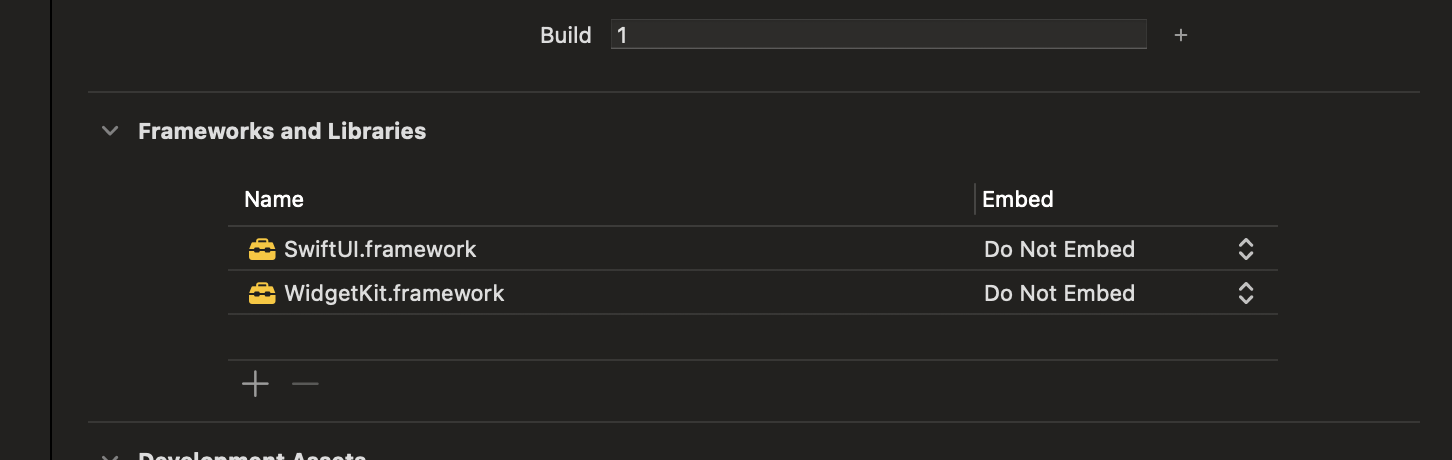
2. On the General tab, locate the Frameworks and Libraries section and click the + button.
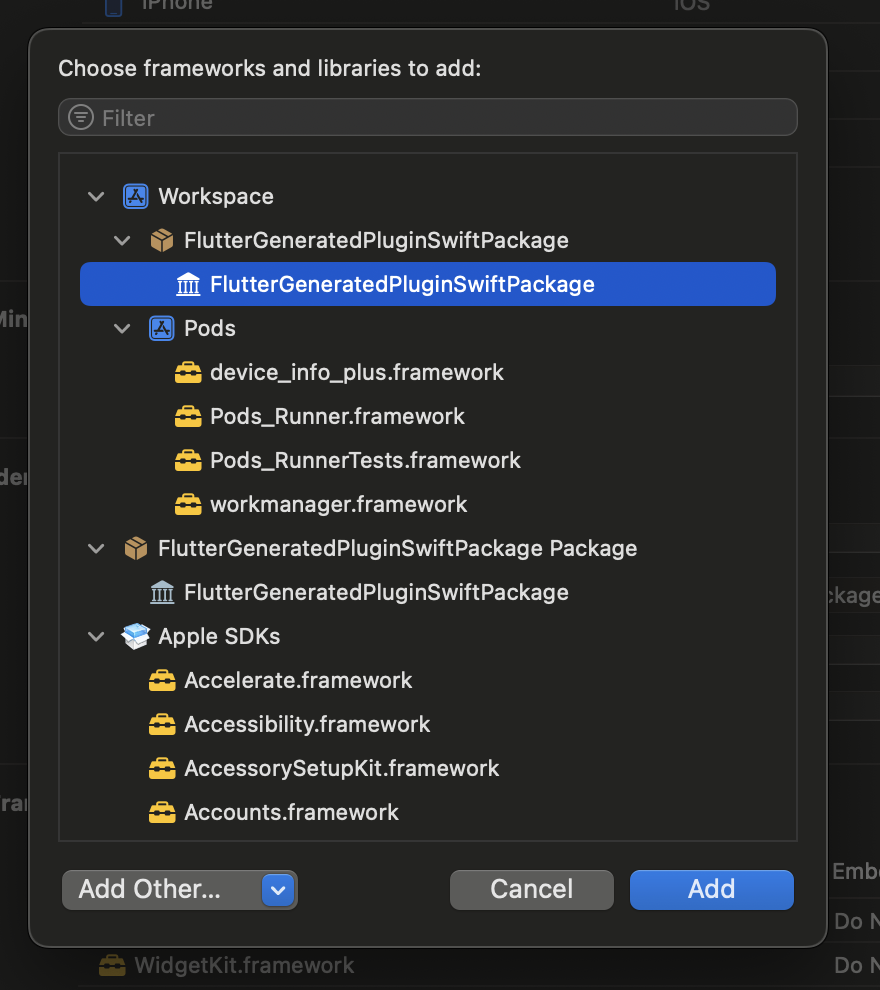
3. In the picker that appears, choose FlutterGeneratedPluginSwiftPackage and confirm. If it is not available you need to run flutter pub get