---
title: App open ads
description: Display full-screen app open ads when users bring your app to the foreground.
---
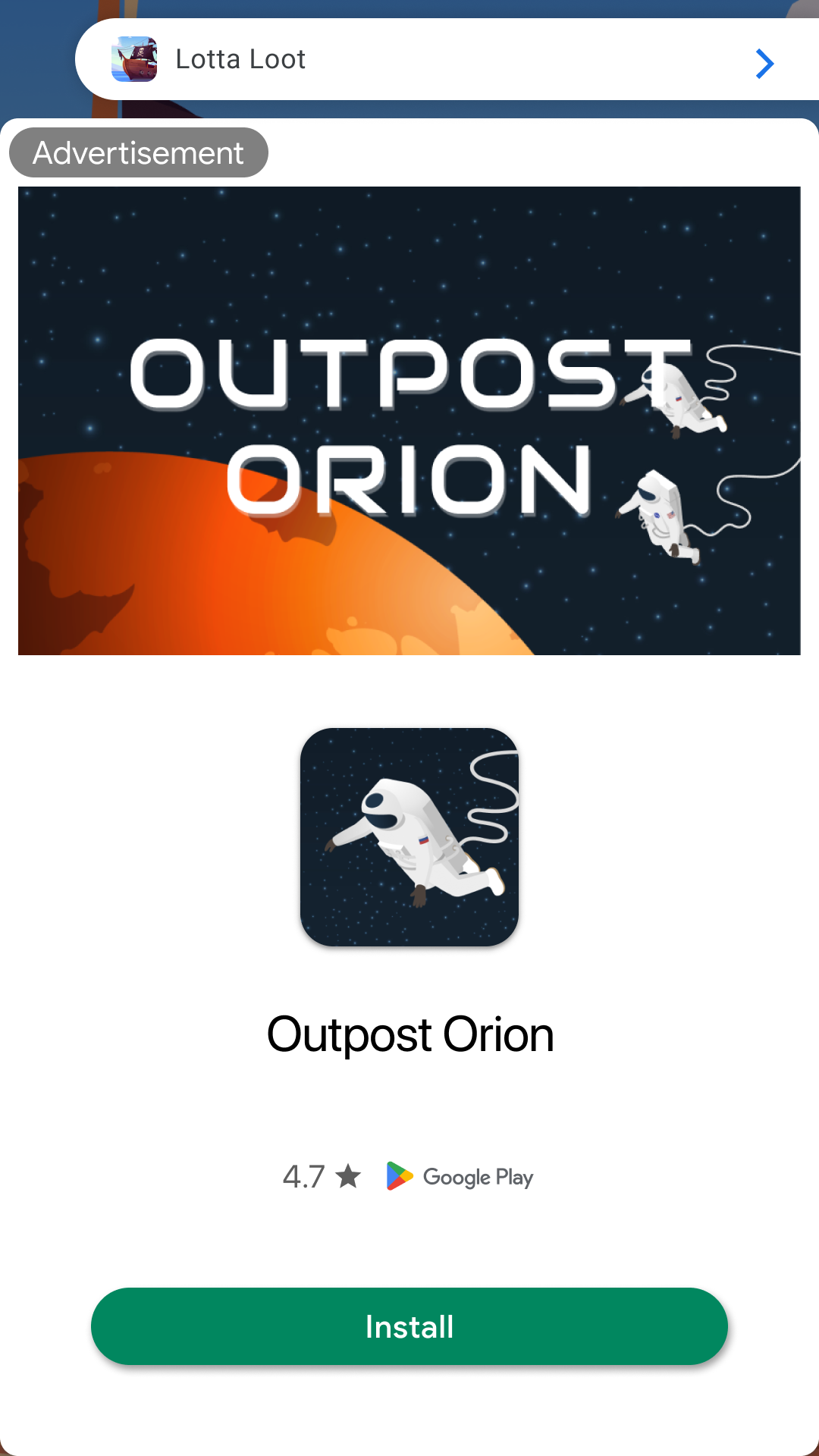
App open ads are a special ad format intended for publishers wishing to monetize their app load screens.
App open ads can be closed by your users at any time. App open ads can be shown when users bring your app to the foreground.
App open ads are shown when your application launches or when users bring your application to the foreground.
To make sure you have an ad ready to display when a user opens your app, you'll want to have a reference to an ad ready to use.
That means you must preload an app open ad before you need to show the ad. That way, your app open ad is ready to show the next time the app is opened.
 Complete consent and SDK initialization before calling `load()`. See [Consent & privacy
basics](/consent-basics).
## Cold and warm foreground lifecycle
`useAppOpenAdManager` follows Google's app open manager pattern:
- **Preload:** while `adUnitId` is set and `autoLoad` is not `false`, it loads an ad right away
and loads the next one after an ad closes or fails to show.
- **Freshness:** an ad more than four hours old is never shown; it is discarded and replaced
(while `autoLoad` is not `false`).
- **Cold start:** the hook does **not** show an ad on the first launch of a process. Call
`showAdIfAvailable()` from your loading screen. It shows only if a fresh ad is already loaded;
otherwise it starts a load (while `autoLoad` is not `false`) and shows nothing.
- **Warm foreground:** when the app returns from the background, the hook calls
`showAdIfAvailable()` for you, so an ad appears only if a fresh one is already held.
- **After other fullscreen ads:** on Android, closing any fullscreen ad from this library
(including rewarded interstitial, Ad Manager interstitial, and pooled ads) makes React Native
report a return to the foreground. The manager ignores returns while such an ad is showing and
briefly after it closes, so it doesn't show an app open ad straight after another fullscreen
ad. iOS doesn't background the app for these ads, so there is nothing to ignore there. On both
platforms, a real return, from the home screen, the app switcher, or a banner or native ad
click-through to the browser or store, can still show a held app open ad.
- `isShowing` is true from the show request until the ad closes or fails to show. Warm-foreground
ads overlay your running app; do not swap your app's tree out because of `isShowing`.
**Gate consent before any request.** While `autoLoad` is `false`, the manager issues no request at
all: not the preload, not `showAdIfAvailable()`, not a warm foreground, and not the reload after
an ad closes. It can still show an ad it already holds. Passing `adUnitId: null` (or not mounting
the hook) is the strongest gate, because there is no unit to request and no ad to show, so the
sample uses that.
The sample mounts the manager at the app root and switches it off with `adUnitId: null` until
consent is resolved:
```tsx
import { useEffect, useState } from 'react';
import { TestIds, useAppOpenAdManager } from 'react-native-google-mobile-ads';
const APP_OPEN_UNIT = __DEV__ ? TestIds.APP_OPEN : 'ca-app-pub-xxxxxxxxxxxxx/yyyyyyyyyyyyyy';
// loadAppAssets, LoadingScreen, and MainContent are your app's own.
export default function AppRoot({ consentReady }: { consentReady: boolean }) {
const [assetsReady, setAssetsReady] = useState(false);
// 'pending' → 'offered' (cold-start showAdIfAvailable() called) → 'done' (no ad, or it closed).
const [coldStart, setColdStart] = useState<'pending' | 'offered' | 'done'>('pending');
const { showAdIfAvailable, isShowing } = useAppOpenAdManager({
// null is the gate: no request is made and warm foreground cannot show or load.
adUnitId: consentReady ? APP_OPEN_UNIT : null,
});
useEffect(() => {
loadAppAssets().then(() => setAssetsReady(true));
}, []);
// Cold start, once, as soon as assets are ready: offer the ad only if consent is resolved, but
// never wait for consent, so a consent flow that fails or stays unresolved cannot block the app.
// If a fresh ad is held, isShowing becomes true in the same render.
useEffect(() => {
if (coldStart === 'pending' && assetsReady) {
if (consentReady) {
showAdIfAvailable();
}
setColdStart('offered');
}
}, [coldStart, assetsReady, consentReady, showAdIfAvailable]);
// The cold-start pass ends when no ad was offered or shown, or when the shown ad closes or fails.
useEffect(() => {
if (coldStart === 'offered' && !isShowing) {
setColdStart('done');
}
}, [coldStart, isShowing]);
// Only the cold-start pass holds the loading screen. Warm-foreground ads overlay MainContent,
// so it stays mounted and keeps its state.
if (!assetsReady || coldStart !== 'done') {
return ;
}
return ;
}
```
`status` (`'idle'`, `'loading'`, `'loaded'`, `'showing'`, `'closed'`, `'no-fill'`, `'error'`) is
also returned for diagnostics. A load that ends in `'no-fill'` or `'error'` is not retried
automatically; the next `showAdIfAvailable()` call or warm foreground starts a new load (unless
`autoLoad` is `false`).
The hook has no separate switch for warm-foreground auto-show. `autoLoad: false` stops new
requests but still shows an ad already held; `adUnitId: null` and unmounting are the only ways to
turn auto-show off completely. Google recommends waiting until users have opened your app a few
times before showing app open ads; skip the cold-start `showAdIfAvailable()` call yourself when that
applies.
The hook loads through `AppOpenAd.createForAdRequest` on every backend. Composing it with the
Android Next-Gen SDK-managed app open preloader is not yet supported.
### Without hooks
Outside React, create the ad with `AppOpenAd.createForAdRequest(adUnitId)`, listen for
`AdEventType.LOADED`, `AdEventType.CLOSED`, and `AdEventType.ERROR`, record when the ad was requested
or loaded, and call `appOpenAd.show().catch(...)` only while the ad is less than four hours old. Not
loaded, already showing, and platform declines reject the returned promise; a destroyed ad, or
invalid `showOptions` on a loaded ad, throw synchronously (a programmer error to fix at the call
site). After `CLOSED`, call `load()` again on the same instance (or create a new one) for the next
impression, and send `AdEventType.PAID` payloads to your
[revenue telemetry](/revenue-telemetry-and-auction-diagnostics) pipeline.
## Consider ad expiration
Google's app open guidance says an ad rendered more than four hours after its request is no longer
valid. `useAppOpenAdManager` enforces that window for you. If you manage `AppOpenAd` yourself, record
when the ad was requested or loaded (Google's sample records load time) and request a replacement
instead of showing older inventory. If you use preload pools, the handed-out object
applies the same default through `isStaleByPolicy()`.
## Cold starts and loading screens
On a cold start, you will not already have an ad in memory. Loading can finish after the user reaches
the main UI, creating an out-of-context interruption.
Use a loading screen while app assets and the ad load, and show the ad only from that screen.
If your app has completed loading and has sent the user to the main content of your app, do not show the ad.
## Best practices
Google built app open ads to help you monetize your app's loading screen, but it's important to keep best practices in mind so that your users enjoy using your app. Make sure to:
- Wait to show your first app open ad until after your users have used your app a few times.
- Show app open ads during times when your users would otherwise be waiting for your app to load.
- If you have a loading screen under the app open ad, and your loading screen completes loading before the ad is dismissed, you may want to dismiss your loading screen after the ad closes (`isShowing` returns to `false`, or
`AdEventType.CLOSED` when you manage `AppOpenAd` yourself).
For a single app open ad without the manager lifecycle, use [`useAppOpenAd`](/ad-formats/hooks).
To keep a warm app open ad ready at all times, create a pool config with
`AdPoolPresets.fullscreen(AdFormat.APP_OPEN, adUnitId)`; see [preload
pools](/preload-pools-and-multiformat-recipes).
## Caveats / limitations
- On Android, if an app open ad closes when returning from the background via the launcher icon, see
[Android: fullscreen ads closing after Home → resume](#android-fullscreen-ads-closing-after-home--resume).
### Android: fullscreen ads closing after Home → resume
On Android, Google Mobile Ads presents interstitial, app open, rewarded, and rewarded interstitial creatives in a separate
`AdActivity`. This package only emits `AdEventType.CLOSED` when that activity reports dismissal
(`onAdDismissedFullScreenContent`). Other helpers may listen to React Native `AppState` (for example `useForeground` /
`AdPoolProvider`), but they do **not** destroy a showing fullscreen ad or emit `CLOSED` from `AppState` alone.
If a fullscreen ad disappears when the user presses Home and then returns via the **launcher icon**, check your app
`AndroidManifest.xml` `MainActivity` `android:launchMode`. React Native and Expo templates commonly set
`android:launchMode="singleTask"`. With that mode, bringing `MainActivity` to the front can clear activities above it in
the same task — including Google's `AdActivity` — which dismisses the creative and fires `CLOSED` (including before any
delayed close button appears).
Ways to mitigate this in **your** app (not in this library):
- Prefer `android:launchMode="singleTop"` on `MainActivity` when it is compatible with your deep-link and cold-start
behavior (Flutter AdMob samples commonly use `singleTop`).
- After Expo prebuild, edit the generated `android/app/src/main/AndroidManifest.xml`, or apply the same change with a
small config plugin, then re-verify launcher resume and any auth / deep-link flows that originally needed `singleTask`.
- Confirm the dismiss is not your own JS calling `destroy()` / reloading on `AppState` `'active'`.
This package cannot keep Google's `AdActivity` alive across an app-manifest task clear. Changing `launchMode` has
side effects beyond ads — validate carefully before shipping.
Complete consent and SDK initialization before calling `load()`. See [Consent & privacy
basics](/consent-basics).
## Cold and warm foreground lifecycle
`useAppOpenAdManager` follows Google's app open manager pattern:
- **Preload:** while `adUnitId` is set and `autoLoad` is not `false`, it loads an ad right away
and loads the next one after an ad closes or fails to show.
- **Freshness:** an ad more than four hours old is never shown; it is discarded and replaced
(while `autoLoad` is not `false`).
- **Cold start:** the hook does **not** show an ad on the first launch of a process. Call
`showAdIfAvailable()` from your loading screen. It shows only if a fresh ad is already loaded;
otherwise it starts a load (while `autoLoad` is not `false`) and shows nothing.
- **Warm foreground:** when the app returns from the background, the hook calls
`showAdIfAvailable()` for you, so an ad appears only if a fresh one is already held.
- **After other fullscreen ads:** on Android, closing any fullscreen ad from this library
(including rewarded interstitial, Ad Manager interstitial, and pooled ads) makes React Native
report a return to the foreground. The manager ignores returns while such an ad is showing and
briefly after it closes, so it doesn't show an app open ad straight after another fullscreen
ad. iOS doesn't background the app for these ads, so there is nothing to ignore there. On both
platforms, a real return, from the home screen, the app switcher, or a banner or native ad
click-through to the browser or store, can still show a held app open ad.
- `isShowing` is true from the show request until the ad closes or fails to show. Warm-foreground
ads overlay your running app; do not swap your app's tree out because of `isShowing`.
**Gate consent before any request.** While `autoLoad` is `false`, the manager issues no request at
all: not the preload, not `showAdIfAvailable()`, not a warm foreground, and not the reload after
an ad closes. It can still show an ad it already holds. Passing `adUnitId: null` (or not mounting
the hook) is the strongest gate, because there is no unit to request and no ad to show, so the
sample uses that.
The sample mounts the manager at the app root and switches it off with `adUnitId: null` until
consent is resolved:
```tsx
import { useEffect, useState } from 'react';
import { TestIds, useAppOpenAdManager } from 'react-native-google-mobile-ads';
const APP_OPEN_UNIT = __DEV__ ? TestIds.APP_OPEN : 'ca-app-pub-xxxxxxxxxxxxx/yyyyyyyyyyyyyy';
// loadAppAssets, LoadingScreen, and MainContent are your app's own.
export default function AppRoot({ consentReady }: { consentReady: boolean }) {
const [assetsReady, setAssetsReady] = useState(false);
// 'pending' → 'offered' (cold-start showAdIfAvailable() called) → 'done' (no ad, or it closed).
const [coldStart, setColdStart] = useState<'pending' | 'offered' | 'done'>('pending');
const { showAdIfAvailable, isShowing } = useAppOpenAdManager({
// null is the gate: no request is made and warm foreground cannot show or load.
adUnitId: consentReady ? APP_OPEN_UNIT : null,
});
useEffect(() => {
loadAppAssets().then(() => setAssetsReady(true));
}, []);
// Cold start, once, as soon as assets are ready: offer the ad only if consent is resolved, but
// never wait for consent, so a consent flow that fails or stays unresolved cannot block the app.
// If a fresh ad is held, isShowing becomes true in the same render.
useEffect(() => {
if (coldStart === 'pending' && assetsReady) {
if (consentReady) {
showAdIfAvailable();
}
setColdStart('offered');
}
}, [coldStart, assetsReady, consentReady, showAdIfAvailable]);
// The cold-start pass ends when no ad was offered or shown, or when the shown ad closes or fails.
useEffect(() => {
if (coldStart === 'offered' && !isShowing) {
setColdStart('done');
}
}, [coldStart, isShowing]);
// Only the cold-start pass holds the loading screen. Warm-foreground ads overlay MainContent,
// so it stays mounted and keeps its state.
if (!assetsReady || coldStart !== 'done') {
return ;
}
return ;
}
```
`status` (`'idle'`, `'loading'`, `'loaded'`, `'showing'`, `'closed'`, `'no-fill'`, `'error'`) is
also returned for diagnostics. A load that ends in `'no-fill'` or `'error'` is not retried
automatically; the next `showAdIfAvailable()` call or warm foreground starts a new load (unless
`autoLoad` is `false`).
The hook has no separate switch for warm-foreground auto-show. `autoLoad: false` stops new
requests but still shows an ad already held; `adUnitId: null` and unmounting are the only ways to
turn auto-show off completely. Google recommends waiting until users have opened your app a few
times before showing app open ads; skip the cold-start `showAdIfAvailable()` call yourself when that
applies.
The hook loads through `AppOpenAd.createForAdRequest` on every backend. Composing it with the
Android Next-Gen SDK-managed app open preloader is not yet supported.
### Without hooks
Outside React, create the ad with `AppOpenAd.createForAdRequest(adUnitId)`, listen for
`AdEventType.LOADED`, `AdEventType.CLOSED`, and `AdEventType.ERROR`, record when the ad was requested
or loaded, and call `appOpenAd.show().catch(...)` only while the ad is less than four hours old. Not
loaded, already showing, and platform declines reject the returned promise; a destroyed ad, or
invalid `showOptions` on a loaded ad, throw synchronously (a programmer error to fix at the call
site). After `CLOSED`, call `load()` again on the same instance (or create a new one) for the next
impression, and send `AdEventType.PAID` payloads to your
[revenue telemetry](/revenue-telemetry-and-auction-diagnostics) pipeline.
## Consider ad expiration
Google's app open guidance says an ad rendered more than four hours after its request is no longer
valid. `useAppOpenAdManager` enforces that window for you. If you manage `AppOpenAd` yourself, record
when the ad was requested or loaded (Google's sample records load time) and request a replacement
instead of showing older inventory. If you use preload pools, the handed-out object
applies the same default through `isStaleByPolicy()`.
## Cold starts and loading screens
On a cold start, you will not already have an ad in memory. Loading can finish after the user reaches
the main UI, creating an out-of-context interruption.
Use a loading screen while app assets and the ad load, and show the ad only from that screen.
If your app has completed loading and has sent the user to the main content of your app, do not show the ad.
## Best practices
Google built app open ads to help you monetize your app's loading screen, but it's important to keep best practices in mind so that your users enjoy using your app. Make sure to:
- Wait to show your first app open ad until after your users have used your app a few times.
- Show app open ads during times when your users would otherwise be waiting for your app to load.
- If you have a loading screen under the app open ad, and your loading screen completes loading before the ad is dismissed, you may want to dismiss your loading screen after the ad closes (`isShowing` returns to `false`, or
`AdEventType.CLOSED` when you manage `AppOpenAd` yourself).
For a single app open ad without the manager lifecycle, use [`useAppOpenAd`](/ad-formats/hooks).
To keep a warm app open ad ready at all times, create a pool config with
`AdPoolPresets.fullscreen(AdFormat.APP_OPEN, adUnitId)`; see [preload
pools](/preload-pools-and-multiformat-recipes).
## Caveats / limitations
- On Android, if an app open ad closes when returning from the background via the launcher icon, see
[Android: fullscreen ads closing after Home → resume](#android-fullscreen-ads-closing-after-home--resume).
### Android: fullscreen ads closing after Home → resume
On Android, Google Mobile Ads presents interstitial, app open, rewarded, and rewarded interstitial creatives in a separate
`AdActivity`. This package only emits `AdEventType.CLOSED` when that activity reports dismissal
(`onAdDismissedFullScreenContent`). Other helpers may listen to React Native `AppState` (for example `useForeground` /
`AdPoolProvider`), but they do **not** destroy a showing fullscreen ad or emit `CLOSED` from `AppState` alone.
If a fullscreen ad disappears when the user presses Home and then returns via the **launcher icon**, check your app
`AndroidManifest.xml` `MainActivity` `android:launchMode`. React Native and Expo templates commonly set
`android:launchMode="singleTask"`. With that mode, bringing `MainActivity` to the front can clear activities above it in
the same task — including Google's `AdActivity` — which dismisses the creative and fires `CLOSED` (including before any
delayed close button appears).
Ways to mitigate this in **your** app (not in this library):
- Prefer `android:launchMode="singleTop"` on `MainActivity` when it is compatible with your deep-link and cold-start
behavior (Flutter AdMob samples commonly use `singleTop`).
- After Expo prebuild, edit the generated `android/app/src/main/AndroidManifest.xml`, or apply the same change with a
small config plugin, then re-verify launcher resume and any auth / deep-link flows that originally needed `singleTask`.
- Confirm the dismiss is not your own JS calling `destroy()` / reloading on `AppState` `'active'`.
This package cannot keep Google's `AdActivity` alive across an app-manifest task clear. Changing `launchMode` has
side effects beyond ads — validate carefully before shipping.