Swift Package Manager Migration
If you are using Swift Package Manager for your Flutter App and are using home_widget for an interactive widget you can migrate to Swift Package Manager by following these steps.
Remove Podfile adjustment
If you previously added
home_widgetto your Podfile for the WidgetExtension, remove it:target 'YourWidgetExtension' do use_frameworks! use_modular_headers! pod 'home_widget', :path => '.symlinks/plugins/home_widget/ios' endAfter removing the entry, run
pod installonce so CocoaPods updates its lock file.Add frameworks
If you integrate plugins with Swift Package Manager, make sure your WidgetExtension links against the generated Flutter plugin package:
- Open your Flutter project's
Runner.xcworkspacein Xcode and select your WidgetExtension target. - On the
Generaltab, locate theFrameworks and Librariessection and click the+button.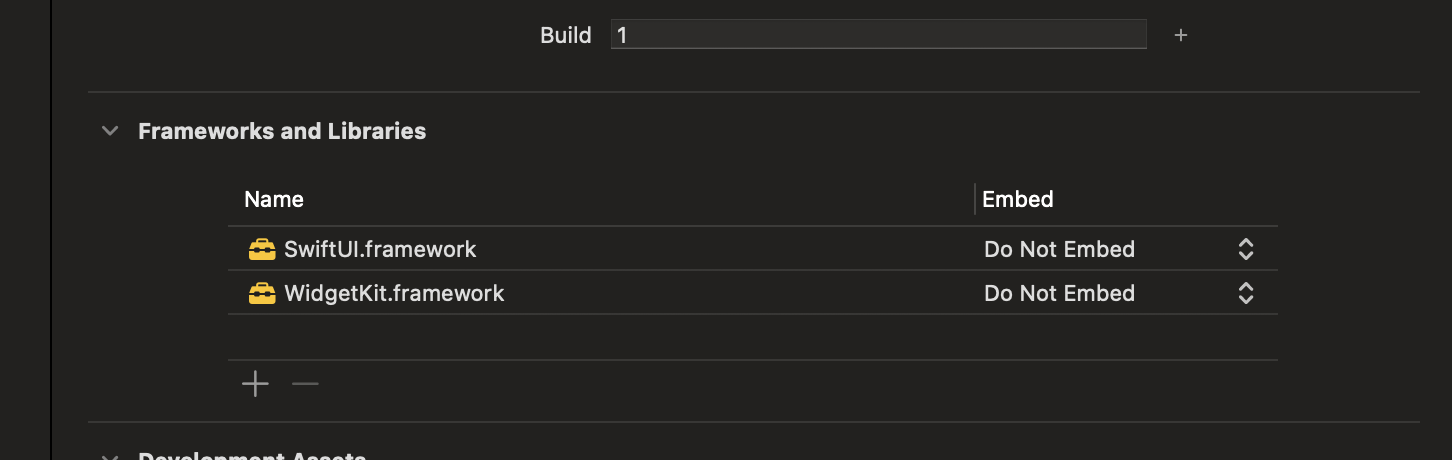
- In the picker that appears, choose
FlutterGeneratedPluginSwiftPackageand confirm. If it is not available you need to runflutter pub get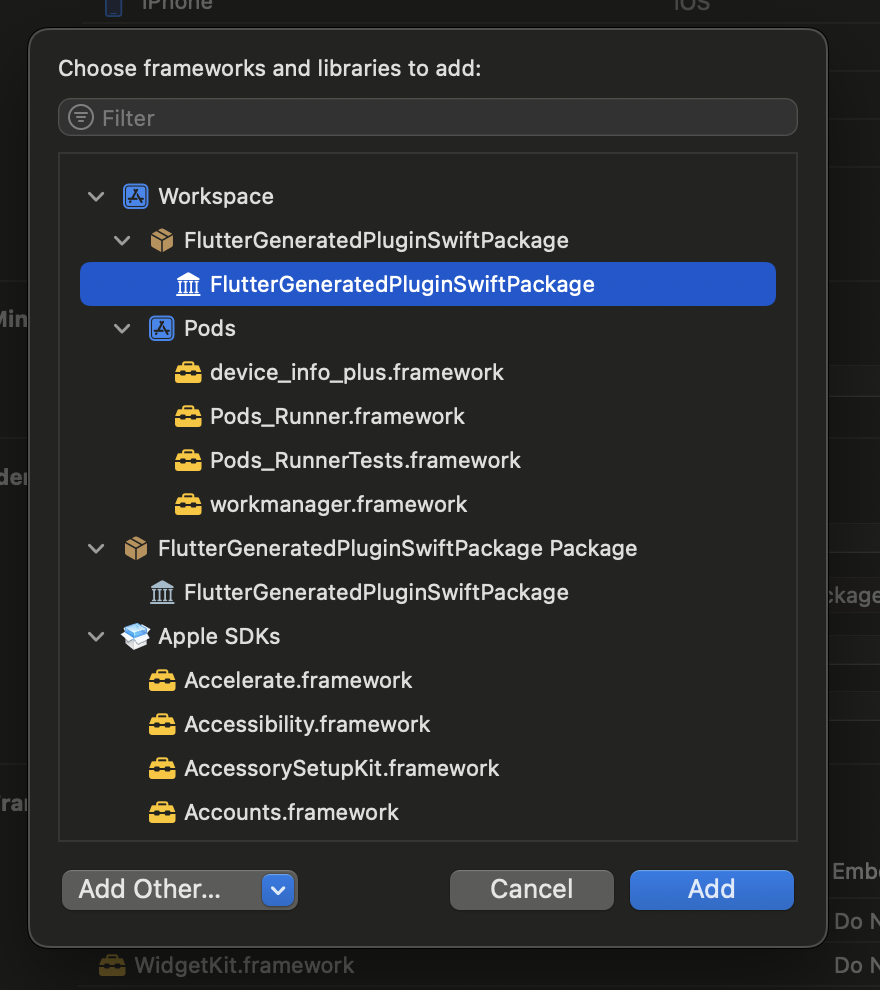
- Open your Flutter project's