Installation

Install the card through the hass-iopool integration and add it to a dashboard.

There is no separate HACS repository for the card. Install the hass-iopool integration through HACS, and the card is exposed automatically.

Install hass-iopool

  1. Open HACS in Home Assistant.
  2. Install the hass-iopool integration.
  3. Restart Home Assistant if prompted.

Add the card

  1. Open a dashboard in edit mode.
  2. Add a new card.
  3. Search for iopool Card.
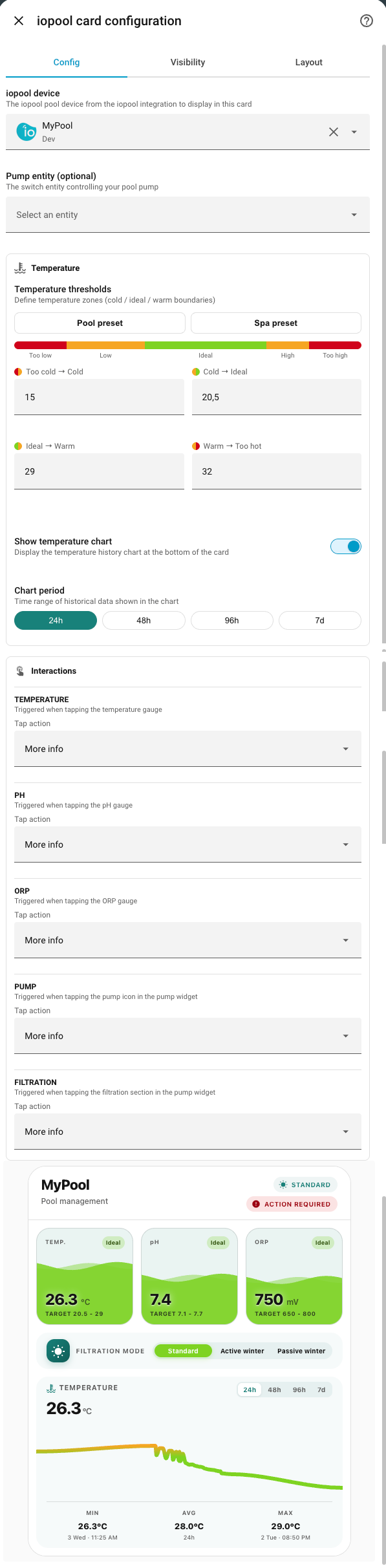
  4. Select the card and choose your pool device.

Minimal YAML

type: custom:iopool-card
device_id: YOUR_DEVICE_ID
Device picker in the visual editor

If the card does not appear immediately, refresh the browser or clear the cache once after the integration has been installed.