Interaction System
An overview of the interaction system
Interaction System
The Interaction System allows you to create interactions, add custom UI, and add custom functionality in minutes to very quickly get interactions into your game. You can also add custom animations for the interactions and the player characters. To add the interaction module to your project, you can follow the tutorial on how to add modules here
Getting Started
To get started, install the interaction module files and then open the interaction folder in Unreal Engine:
📂 /Game/TPSKit/Blueprints/Modules/InteractionSystem
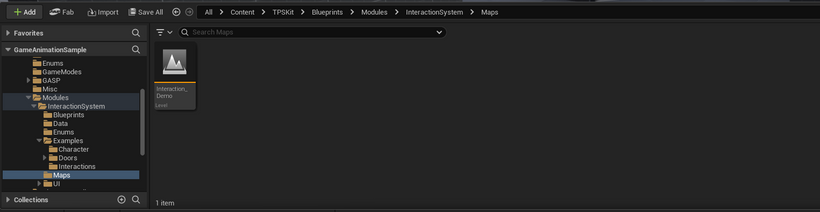
Here you can open the demo map
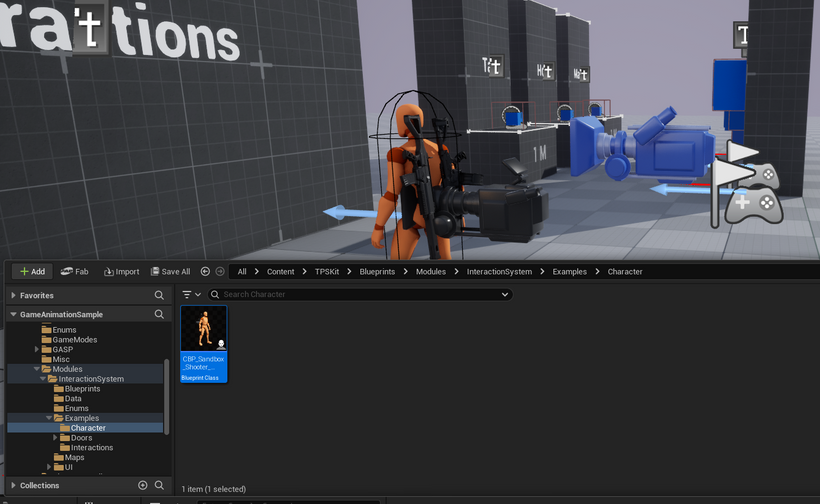
Add the character blueprint from the examples folder of the Interaction System to quickly start using the system. You can also add to the World Settings as the Default Pawn Class
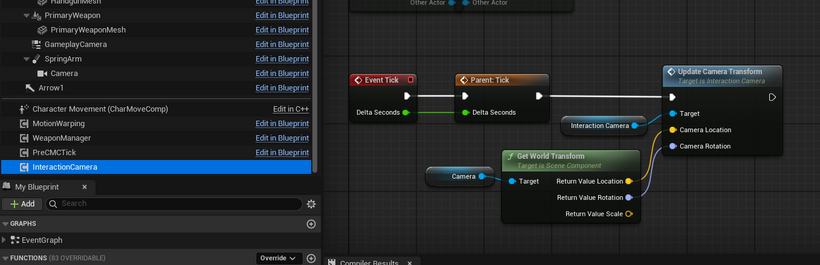
YOU NEED THE INTERACTION CAMERA COMPONENT AND TO UPDATE THE CAMERA TRANSFORM IN THE COMPONENT FOR THE INTERACTIONS TO WORK
Alternatively you can add the InteractionCamera component to your character blueprint. When you do this, you'll need to use the UpdateCameraTransform function in the InteractionCamera component to let the interaction system know where the camera is. This needs to be done every tick.
After that, you should be able to use the interaction system without any additional setup.