Weapon Manager Component
An overview of the Weapon Manager Component in the TPS Kit.
Weapon Manager Component
The Weapon Manager Component is responsible for managing weapon slots, equipping and unequipping weapons, and issuing fire commands to weapons. This component should be attached to the player pawn for proper functionality.
Purpose
The Weapon Manager Component serves as the central system for handling weapon mechanics. It ensures that weapons are properly assigned, switched, and controlled based on player input.
Key Events
Because of replication, it's best to call events on the weapon manager component rather than functions:
- EquipWeapon(WeaponSlot) – Equips the specified weapon.
- UnarmAndEquip() – Unequips the currently equipped weapon and then equips the new specified weapon.
- Unarm() – Unequips the currently equipped weapon
- FireWeapon() – Sends a fire command to the currently equipped weapon.
Setup & Initialization
To begin using the Weapon Manager Component:
-
Add it to the Player Pawn
- Open your player pawn blueprint.
- Add the
WeaponManagerComponentto the components list.
-
Initialize the Component in Begin Play
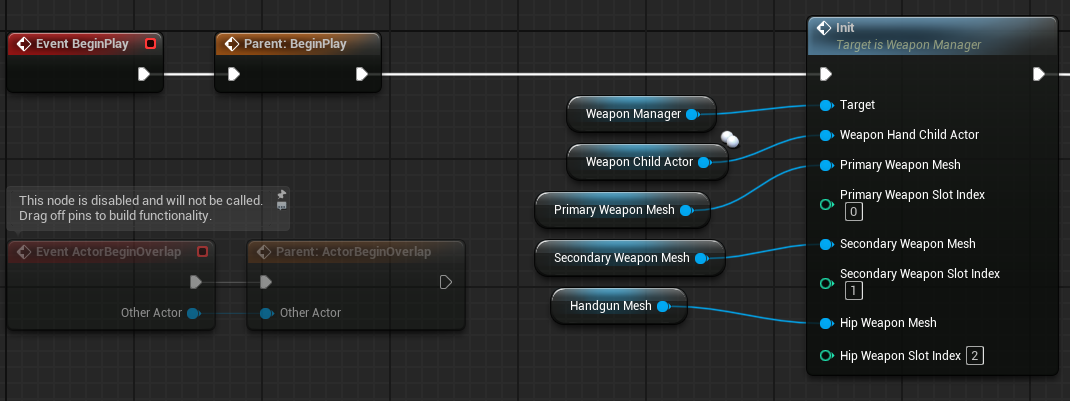
- Call the
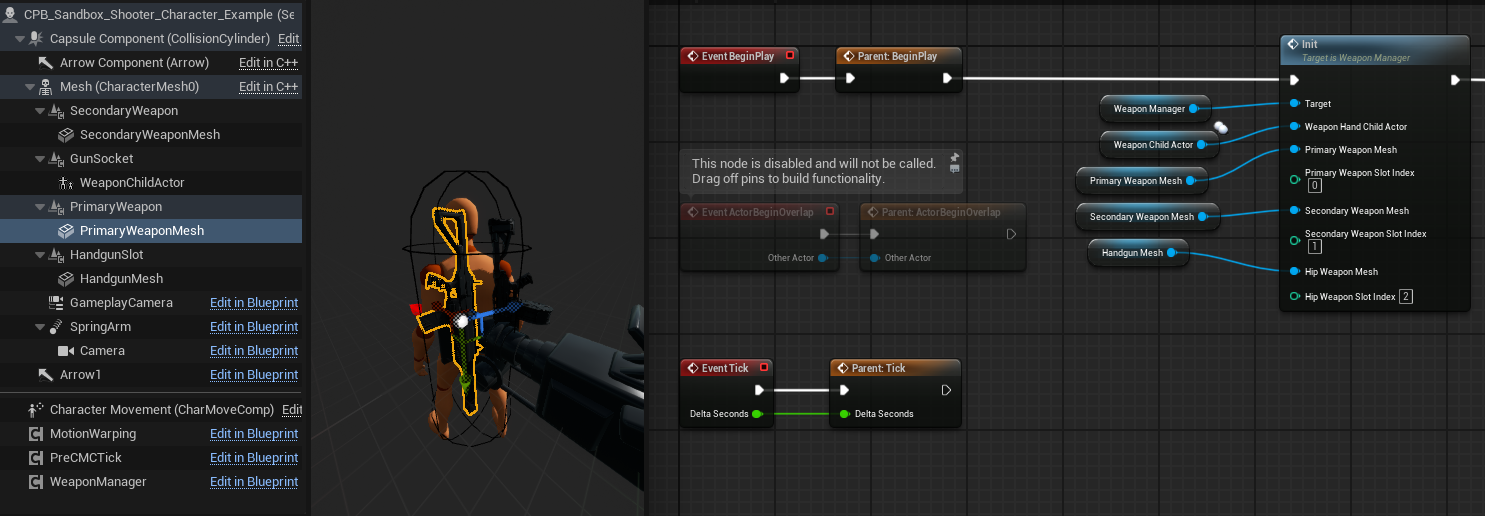
Initfunction inside theBegin Playevent. The setup is very modular. You can create a child actor in your blueprint and parent it to any bone or change it's position. This makes swapping held weapon blueprints very easy as well as even changing the weapons to use opposite hands. The weapon manager component recognizes 3 weapon slots. The primary slot, secondary slot, and handgun slot can have visible meshes assigned to them. This helps with showing and hiding weapons on the player when you equip or unequip.
Compare the heirarchy on the left to the Init node on the right.
For replication, you should call the function on the server and all clients.
- Call the
-
Adjust weapon slots
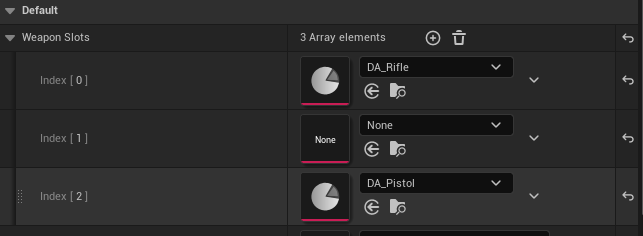
- On the Weapon Manager component, you can add or remove weapon slots.
- Leave the slot data asset empty to keep that slot empty. Add a data asset to a slot to start with a weapon by default.